

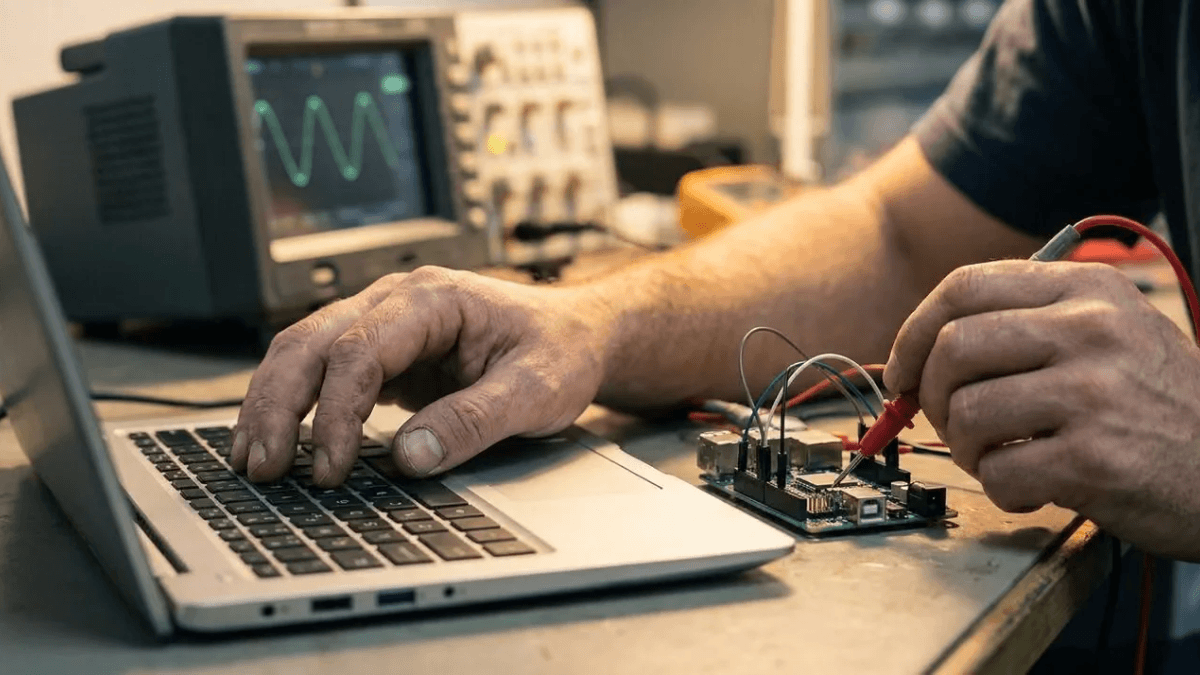


A firmware issue discovered late in product development can do more than delay a launch. It can lead to PCB revisions, unexpected power consumption, unstable device behavior and costly debugging. For businesses developing electronic products, a clear Firmware Development Checklist helps identify these risks before they become expensive problems.
Firmware sits between your product’s hardware and the functions customers rely on. Decisions about microcontrollers, memory, communication interfaces, real-time behavior and security all influence how well the finished device performs. Yet these decisions are sometimes made in isolation, creating problems that appear only when hardware and firmware are integrated.
At Waferlabs, we believe reliable products begin with the right engineering questions. A structured Firmware Development Checklist gives your team a practical way to assess requirements, plan architecture and validate critical design choices before development moves too far. In this guide, we’ll walk through 12 essential checks, explain why each matters and show how coordinated firmware, hardware and PCB expertise can help turn a promising concept into a dependable product.
1. Define Your Product Requirements Before Writing Firmware
Before selecting a microcontroller or starting development, establish exactly what your product needs to accomplish. A firmware project without clearly defined requirements can quickly become difficult to manage, particularly when hardware, software and connectivity requirements begin to overlap.
Start by identifying:
- What functions should the product perform?
- Which sensors and electronic components will it use?
- Does it require real-time processing?
- Will it operate continuously or intermittently?
- Does it need wireless or wired connectivity?
- What environmental conditions must it withstand?
For example, an industrial temperature monitoring device may need continuous sensor readings, reliable data transmission and fault alerts. A battery-powered consumer device may prioritize low energy consumption and compact firmware.
A good Firmware Development Checklist begins with these questions because every technical decision should support the intended product functionality.
At Waferlabs, we believe understanding the customer’s requirements is the foundation of effective engineering. Defining the scope early helps align hardware development, PCB design and firmware architecture before implementation begins.
2. Select the Right Microcontroller or Processor
The microcontroller determines many of your product’s capabilities, including processing speed, memory availability, peripheral support and power consumption.
Choosing a popular processor does not automatically make it suitable for your application. Your engineering team should evaluate the complete product requirements before making this decision.
Consider these factors:
- Processing performance and clock speed.
- Available RAM and Flash memory.
- GPIO pins and peripheral interfaces.
- Wireless connectivity requirements.
- Power consumption.
- Component availability and development ecosystem.
For example, ESP32 may suit connected devices requiring integrated Wi-Fi and Bluetooth, while STM32 microcontrollers support a broad range of embedded applications.
An effective Firmware Development Checklist should also consider future product requirements. Selecting hardware with insufficient resources can limit functionality and make later upgrades difficult.
3. Plan the Firmware Architecture
Firmware architecture determines how different software components interact. Poor planning can create tightly connected code that becomes difficult to debug, maintain and expand.
A modular architecture separates functions into manageable components, such as:
- Hardware abstraction and device drivers.
- Sensor data acquisition.
- Communication management.
- Application logic.
- Error handling.
- Power management.
Depending on complexity, your product may use bare-metal programming or an RTOS-based architecture.
For instance, a simple electronic controller may operate efficiently without an RTOS. However, a device managing multiple sensors, communication interfaces and time-sensitive operations may benefit from task-based scheduling.
Your Firmware Development Checklist should identify these requirements before coding starts. Waferlabs emphasizes coordinated engineering decisions so that firmware architecture supports the actual hardware and application requirements.
4. Verify Hardware and Peripheral Compatibility

Firmware does not operate independently. It interacts directly with electronic components, PCB connections and communication interfaces.
A mismatch between firmware configuration and hardware design can result in incorrect readings, unstable communication or non-functional peripherals.
Check the following:
- Sensor specifications and operating voltage.
- GPIO configuration and pin assignments.
- Interrupt requirements.
- Peripheral compatibility.
- Clock configuration.
- Electrical characteristics and interface connections.
For example, when integrating an external sensor through I2C, engineers must verify its address, supported communication speed, voltage compatibility and connection configuration.
This is where a Firmware Development Checklist becomes particularly valuable. It encourages hardware and firmware teams to validate their assumptions before integration.
Waferlabs’ capabilities in hardware development and PCB design provide relevant engineering support for projects where electronic design and firmware must work together.
5. Choose the Right Communication Interfaces and Protocols
Your product may need to communicate with sensors, processors, external controllers, mobile applications or cloud platforms. The communication method should match the application’s speed, distance, reliability and power requirements.
Common interfaces include:
| Interface | Typical application |
|---|---|
| UART | Serial communication and debugging |
| SPI | High-speed peripheral communication |
| I2C | Connecting multiple sensors |
| CAN | Automotive and industrial communication |
| USB | Peripheral connectivity and data transfer |
| BLE | Short-range wireless communication |
An important part of the Firmware Development Checklist is understanding how these interfaces will behave under actual operating conditions.
For example, an industrial controller may require CAN communication for exchanging information with other control units. A portable monitoring device may use BLE to communicate with a smartphone.
Selecting the right interface early helps avoid unnecessary hardware changes and firmware redesign.
6. Check Memory, Storage and Processing Requirements
Memory limitations can affect firmware performance, especially when a product handles multiple sensors, communication tasks and data-processing operations.
Before development, evaluate the memory resources available on your selected microcontroller.
Your Firmware Development Checklist should cover:
- RAM: Is there sufficient memory for active tasks and temporary data?
- Flash memory: Can the processor accommodate the firmware and future updates?
- EEPROM or external storage: Does the product need to retain configuration settings or collected data?
- Stack and heap: Have memory allocation and task requirements been considered?
- Processing capacity: Can the processor handle the expected workload?
For example, an industrial monitoring device may collect readings from several sensors while maintaining network communication. If memory allocation is not planned properly, the system may experience unexpected failures.
A practical Firmware Development Checklist should also account for future features. Leaving reasonable resource capacity can make product upgrades easier without requiring an immediate hardware redesign.
At Waferlabs, engineering decisions are considered in relation to the complete product architecture. This helps businesses avoid selecting components that meet today’s requirements but restrict tomorrow’s product improvements.
7. Plan Power Management and Energy Efficiency
Does your product operate using a battery? If so, power management should be part of the firmware architecture from the beginning.
Even a technically functional device can disappoint customers if its battery drains too quickly. Your Firmware Development Checklist should therefore identify which components consume power and when they need to remain active.
Important considerations include:
- Sleep and deep-sleep modes.
- Sensor activation schedules.
- Wireless communication frequency.
- Processor clock management.
- Peripheral power control.
- Battery monitoring and reporting.
Consider a wireless environmental sensor installed in a remote agricultural location. It may not need to transmit information continuously. Instead, firmware could collect readings periodically, transmit the required information and return to a low-power state.
This approach can reduce unnecessary energy consumption.
An effective Firmware Development Checklist should also consider the relationship between hardware selection and firmware-controlled power states. Engineers need to understand how the microcontroller, sensors and communication modules behave during different operating modes.
Waferlabs’ combined hardware and embedded engineering capabilities are relevant when optimizing these interconnected product requirements.
8. Include Security in the Firmware Architecture

Security should never be treated as a final development task. Connected electronic products can exchange sensitive information, communicate with external systems and provide access to important device functions.
Your Firmware Development Checklist should identify security requirements before implementation.
Consider these essential areas:
- Authentication: Verify that only authorized users or devices can access protected functions.
- Secure communication: Use appropriate encryption for information exchanged between connected systems.
- Access control: Restrict access to configuration settings and sensitive operations.
- Secure boot: Where supported, verify firmware integrity during the startup process.
- Firmware updates: Validate update packages before installation.
For example, an industrial monitoring device should not allow unauthorized users to modify critical operating parameters.
A well-planned Firmware Development Checklist considers these risks alongside processing and memory limitations because security mechanisms also require hardware and software resources.
At Waferlabs, we encourage businesses to consider security as part of the initial engineering discussion rather than introducing it after the product architecture has already been finalized.
9. Develop Error Handling and Recovery Mechanisms
What happens when a sensor stops responding? What if communication fails during an important operation? Can the device recover after an unexpected interruption?
These are questions every product developer should address.
A useful Firmware Development Checklist includes mechanisms that help identify faults and manage unexpected operating conditions.
Depending on the application, consider:
- Watchdog timers.
- Sensor fault detection.
- Communication timeouts.
- Error logging.
- Controlled system resets.
- Recovery procedures.
- Safe operating states.
For instance, a temperature monitoring device should be able to identify invalid sensor readings rather than treating every received value as accurate.
Similarly, an embedded controller may use a watchdog timer to detect when software stops responding and initiate a recovery process.
The purpose of a Firmware Development Checklist is not simply to confirm that normal operations work. It should also examine how the product behaves when something goes wrong.
Good fault-handling design improves maintainability and helps engineering teams diagnose problems more efficiently.
10. Establish Firmware Testing and Validation Procedures
A prototype working successfully once does not prove that the firmware is ready for commercial deployment.
Testing should evaluate how the device behaves across different workloads, operating conditions and hardware configurations.
Your Firmware Development Checklist should include several testing activities:
| Testing type | What it verifies |
|---|---|
| Unit testing | Individual firmware modules |
| Integration testing | Interaction between software and hardware |
| Functional testing | Required product features |
| Stress testing | Behavior under demanding workloads |
| Power testing | Energy consumption across operating modes |
| Regression testing | Whether changes affect existing functionality |
For example, a connected industrial device should be tested during normal communication, temporary network failures and repeated operating cycles.
A comprehensive Firmware Development Checklist also identifies potential debugging requirements early. Access to suitable development boards, debugging interfaces and test equipment can make fault identification more efficient.
Waferlabs brings embedded systems and hardware engineering capabilities together, supporting a coordinated approach to product development and validation.
11. Plan Firmware Updates and Long-Term Maintenance
Firmware development does not necessarily end when the first product version is released. Businesses may need to introduce new features, address software issues or improve compatibility as product requirements evolve.
Your Firmware Development Checklist should therefore include a maintenance strategy.
Important considerations include:
- Firmware version control.
- Update compatibility.
- Secure update mechanisms.
- Recovery from interrupted updates.
- Configuration preservation.
- Device diagnostics.
- Long-term maintenance planning.
For connected products, Over-the-Air (OTA) updates can allow firmware to be updated remotely, provided the hardware, connectivity and security architecture support this functionality.
For example, a fleet of connected monitoring devices may require software improvements without physically accessing every installation.
Planning these requirements early helps avoid architectural limitations later. A practical Firmware Development Checklist should establish how updates will be developed, tested, distributed and recovered if something goes wrong.
It is also important to consider the product’s expected lifecycle. The firmware architecture should support realistic maintenance requirements rather than focusing only on the initial release.
12. Validate Hardware and Firmware Integration Before Product Release

The final check is often where all previous engineering decisions come together.
A firmware application may pass individual software tests but still encounter problems when operating with the actual PCB, sensors, power supply and communication modules.
Before release, verify:
- All hardware interfaces operate correctly.
- Sensor readings are consistent with expected behavior.
- Communication remains stable.
- Power consumption meets product requirements.
- Fault-handling mechanisms work as intended.
- Firmware performs reliably across expected operating conditions.
- Product documentation and maintenance requirements are addressed.
This is why a Firmware Development Checklist should include complete system-level validation rather than stopping at successful code compilation.
For businesses developing complex electronic products, coordination between firmware, hardware and PCB engineers can make a significant difference. When these teams collaborate, integration issues can be identified earlier and technical decisions can be evaluated from the perspective of the complete product.
At Waferlabs, our multidisciplinary capabilities include embedded systems, hardware development, PCB design, FPGA development and RF engineering. This allows us to approach product development with a broader engineering perspective.
Why Partner with Experienced Engineers for Firmware Development?
A firmware project involves decisions that can influence your product’s performance, reliability, development cost and future flexibility. Making these decisions without considering the complete electronic system can result in unnecessary redesign and integration challenges.
An experienced engineering partner helps you evaluate these requirements before they become expensive problems.
At Waferlabs, we bring together engineering expertise across embedded systems, hardware development, PCB design, FPGA and RF engineering. Our team includes professionals with backgrounds at Intel, Broadcom, Qualcomm and Microsoft.
For customers, this multidisciplinary approach can provide several advantages:
- Better planning: Identify technical requirements and potential limitations early.
- Reduced integration risks: Coordinate firmware and hardware development.
- Engineering efficiency: Make informed architecture and component decisions.
- Product reliability: Give appropriate attention to testing and validation.
- Development support: Access relevant engineering capabilities throughout the product development journey.
A well-structured Firmware Development Checklist helps establish the right foundation. Partnering with experienced engineers helps translate those requirements into practical product development decisions.
At Waferlabs, our philosophy is simple: a place where ideas meet technologies. We work towards helping businesses transform engineering concepts into functional electronic products.
Conclusion
Reliable firmware begins long before the first line of code is written. From selecting the right microcontroller to validating hardware integration, every decision influences the quality of the finished product.
Following a Firmware Development Checklist helps your engineering team identify potential risks, plan resources and build a stronger foundation for long-term product reliability.
However, a checklist is only valuable when supported by the right engineering knowledge and implementation. If you are developing a new embedded product or improving an existing electronic system, Waferlabs can support your engineering journey with relevant firmware, hardware and PCB development expertise.
Have a product idea? Let’s explore how the right engineering approach can bring it to life.
Frequently Asked Questions
1. What is a firmware development checklist?
A Firmware Development Checklist is a structured guide covering hardware selection, architecture, memory, communication, security, testing and validation to help engineers develop reliable embedded products.
2. Why is firmware planning important before development?
Firmware planning helps identify technical requirements, hardware limitations and integration risks early, reducing unexpected redesigns, development delays and unnecessary engineering costs.
3. Which microcontroller should I choose for firmware development?
The choice depends on processing power, memory, connectivity, peripherals and power requirements. ESP32, STM32 and ARM-based platforms support different embedded product applications.
4. How does a Firmware Development Checklist improve product reliability?
A Firmware Development Checklist helps engineers evaluate error handling, hardware compatibility, power management and testing requirements before deployment, reducing potential operational issues.
5. What testing is required before releasing embedded firmware?
Testing should include functional, unit, integration, stress, power and regression testing to verify firmware behavior, hardware compatibility and performance under expected operating conditions.
6. Can Waferlabs support complete firmware and hardware development?
Yes. Waferlabs offers embedded systems, firmware, hardware, PCB, FPGA and RF engineering capabilities to support businesses developing electronic products from concept through engineering.


